Create a new Solution
Create your directory structure
Add relervant Projects in the directory structure
Export each project using the Project->Export Template menu item
- This will create a zip file.
Repeat for all Projects.
Go to the directory where the zips have been created
- C:{user}- Knight FrankStudio {version}Exported Templates
In this directory create your folder structure
- \Build
- \Deploy
- \Src
- \Src\API
- \Src\Client
- \Tests
- \Wiki
Extract the Zip files into the relervant directory.
In the empty directories create a Read.Me text file.
- If you dont then the directory will not be preserved.
in the root create a
.vstemplate xml file Add the following
- Update the Name
- Description
- Project Type, if necceary
- Add any new solution folders
- Add any new vstemplates
<VSTemplate Version="2.0.0" Type="ProjectGroup"
    xmlns="http://schemas.microsoft.com/developer/vstemplate/2005">
    <TemplateData>
        <Name>CSharp, Az Function, Blazor</Name>
        <Description>Blazor, Azure Function Template</Description>
        <Icon>__TemplateIcon.PNG</Icon>
        <ProjectType>CSharp</ProjectType>
    </TemplateData>
    <TemplateContent>
        <ProjectCollection>
            <SolutionFolder Name="Build">
            </SolutionFolder>
            <SolutionFolder Name="Deploy">
                <ProjectTemplateLink ProjectName="Deploy">
                    Deploy\MyTemplate.vstemplate
                </ProjectTemplateLink>
            </SolutionFolder>
            <SolutionFolder Name="Src">
                <SolutionFolder Name="API">
                    <ProjectTemplateLink ProjectName="API">
                        Src\API\MyTemplate.vstemplate
                    </ProjectTemplateLink>
                </SolutionFolder>
                <SolutionFolder Name="Client">
                    <ProjectTemplateLink ProjectName="Client">
                        Src\Client\MyTemplate.vstemplate
                    </ProjectTemplateLink>
                </SolutionFolder>
            </SolutionFolder>
            <SolutionFolder Name="Tests">
            </SolutionFolder>
            <SolutionFolder Name="Wiki">
            </SolutionFolder>
        </ProjectCollection>
    </TemplateContent>
</VSTemplate>- Select all the files and save as a compressed ZIP
- Copy the file Zip file to C:{user}- Knight FrankStudio {version}
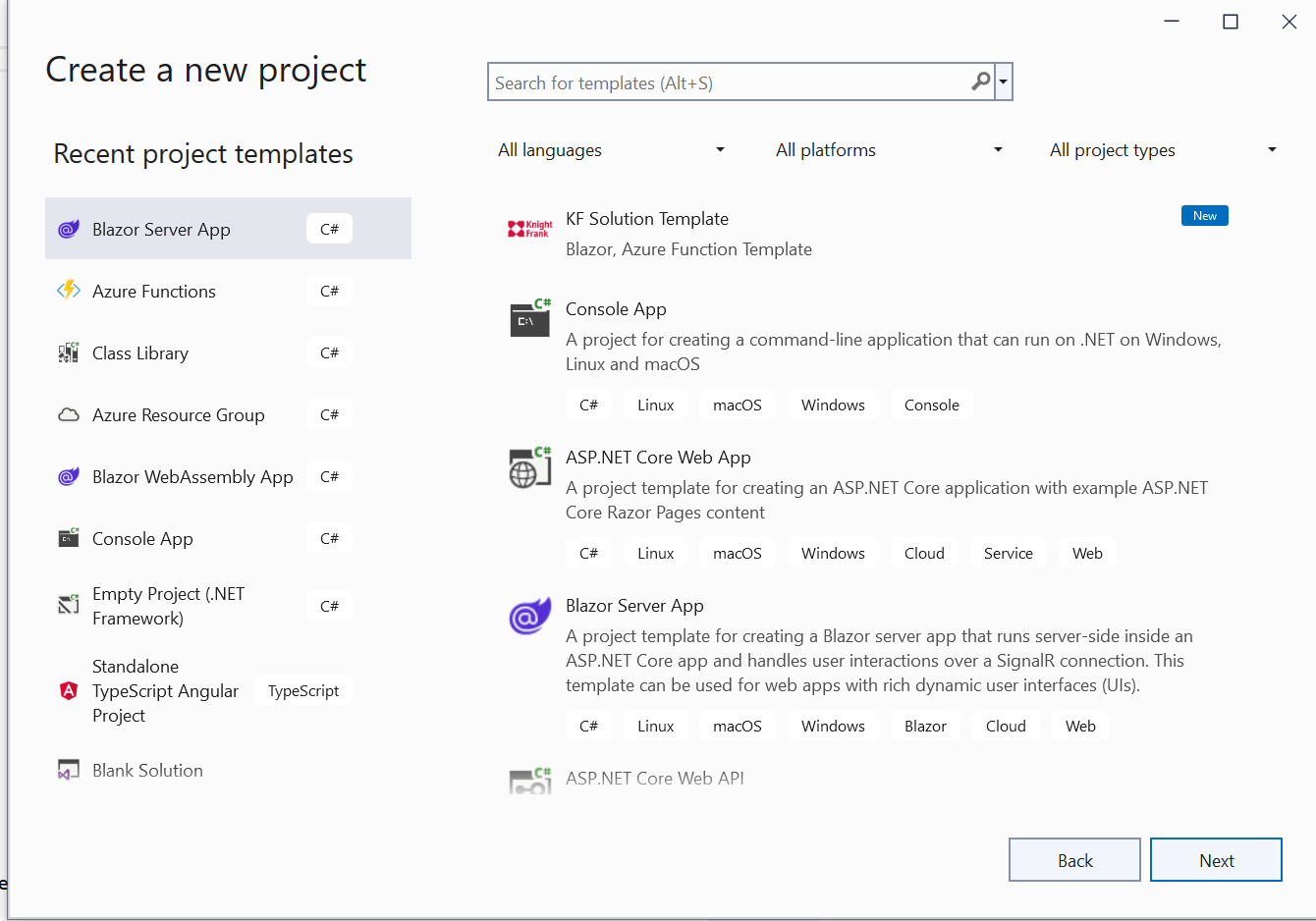
VSNewProject