graph TD;
A-->B;
A-->C;
B-->D;
C-->D;
POC-DocumentationWiki-Quarto
Quarto
Quarto is an open-source scientific and technical publishing system that allows you to create dynamic content using Markdown and integrate executable code (Python, R, Julia, etc.) into your documentation.
GitHub Repo as Storage: Yes, this is Quarto’s native approach. Your documentation is authored in plain-text Markdown files (or .qmd files) and stored directly in your GitHub repository alongside your code.
Workflow: It fully embraces the “docs-as-code” philosophy. You use your standard development tools (VS Code, RStudio, command line) to edit files and the entire process (pull requests, code review, versioning) is managed via Git and GitHub.
Publishing: Quarto can be published to a variety of destinations, including GitHub Pages, using the quarto publish command or automated with GitHub Actions.
Best for: Highly technical teams who want documentation to be a seamless part of their existing engineering workflow and codebase, and require a high degree of customisation and the ability to embed code execution results.
Site : Quarto
Examples
Markdown support in Quarto
Pandoc markdown is an extended and slightly revised version of John Gruber’s Markdown syntax.
Diagram Support in Quarto
Quarto has native support for several diagram formats.
| Tool | Quarto Support |
|---|---|
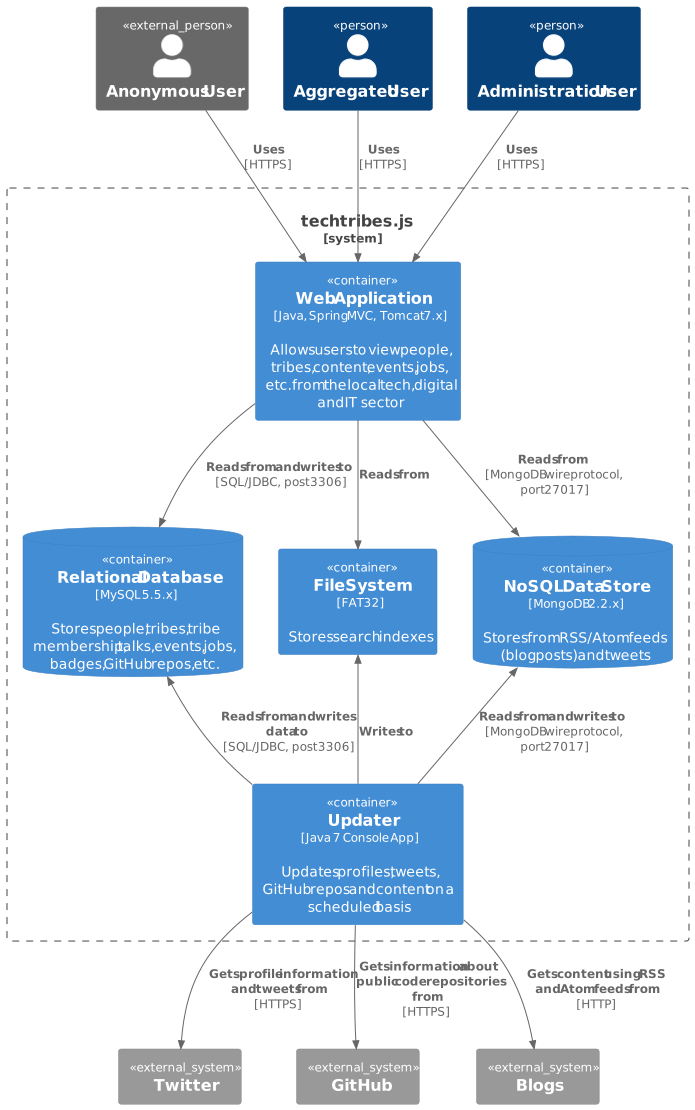
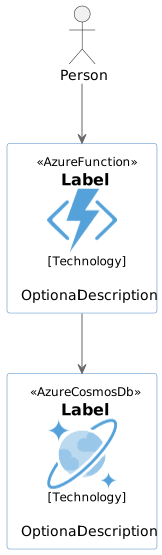
| PlantUML & Structurizr | Quarto does not have direct, native PlantUML rendering built-in like Mermaid. You would likely rely on pre-generating the image files (using a GitHub Action or local script with the PlantUML JAR/server) and then embedding them as standard Markdown images. Quarto’s general flexibility with Pandoc filters might allow for a more integrated approach, but this requires more configuration. |
| Mermaid & Graphviz | Quarto has native, out-of-the-box support for Mermaid and Graphviz diagrams embedded within special executable cells (e.g., ```{mermaid}). |
Code Blocks
Quarto supports fenced code blocks with syntax highlighting for many programming languages. You can specify the language right after the opening backticks.
def hello_world():
    print("Hello, world!")
hello_world <- function() {
print("Hello, world!")
}function hello_world()
println("Hello, world!")
endMermaid and Graphviz Examples
PlantUML Examples