Install client digital certificate issued by HM Land Registry into client Azure key vault
Generate PEM file.
The process is :- 1. Create the Chain.pem file. 1. The chain.pem file is a simple concatenation of the cer files that the issuer has supplied. Each entry in the pem file needs to be pre/post pended by the following tags ‘-----BEGIN CERTIFICATE-----’ and ‘-----END CERTIFICATE-----’ 1. The cer files need to be appended in leaf to root order. 2. Create PFX file 1. Run the command. 1. openssl pkcs12 -inkey private.key -in chain.pem -export -out output.pfx 1. The command will ask you to enter the password you used to create the CSR request.
    ```powershell
    openssl pkcs12 -inkey privatekey.key -in chain.pem -export -out output.pfx
    Enter pass phrase for privatekey.key: "<enter password saved in the csr generation process>"
    Enter Export Password: "<enter password saved in the csr generation process>"
    Verifying - Enter Export Password: "<enter password saved in the csr generation process>"
    ```
- Upload into Azure
Azure
Create A Key Vault Certificate.
On the Key vault/Certificates tab click the Generate/import button
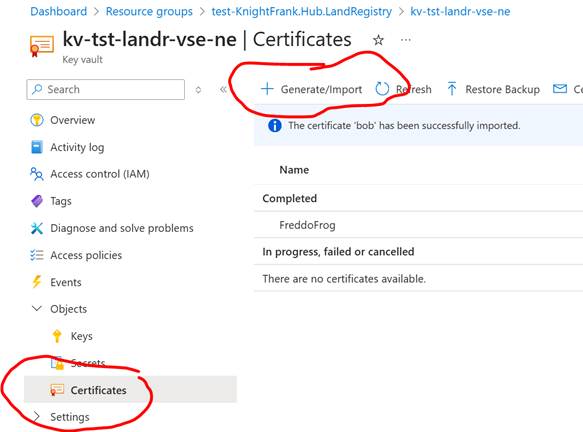 The create a certificate page will be shown.
* Select Import.
* Give it a name .
* Select the PFX file you have just generated.
* Enter the password you used to create the PFX file.
The create a certificate page will be shown.
* Select Import.
* Give it a name .
* Select the PFX file you have just generated.
* Enter the password you used to create the PFX file.
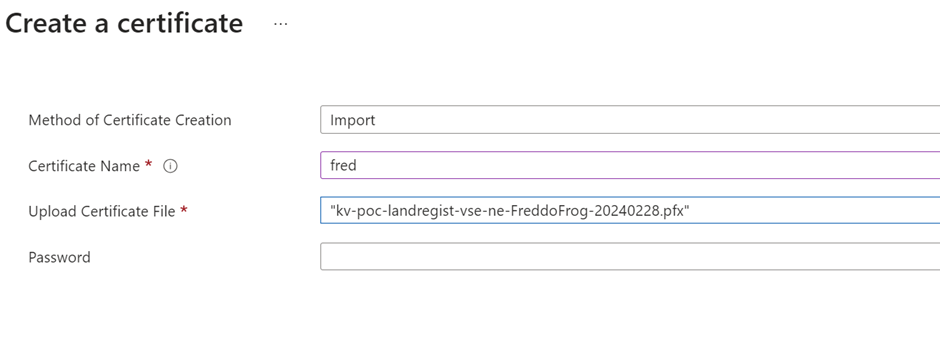
- The file will be uploaded, and the certificate will be available.
- You can delete the previous certificate request entry.

Using a Certificate (Example)
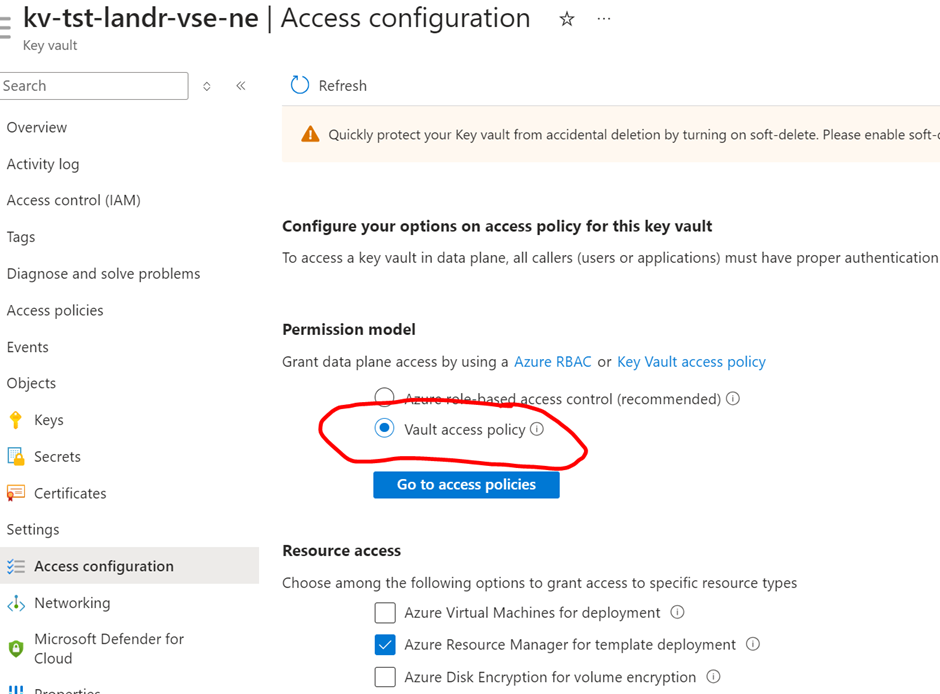
- The key vault must be in ‘Vault Access Policy’ mode.
- Once a certificate has been loaded into the Azure function this can be changed to the normal RBAC mode.
- You will not be able to synchronise the certificate between the function and key vault, If you try to, the certificate in the function will become invalid, and you will have to change the key vault access policy again and then reattach the certificate to the function.
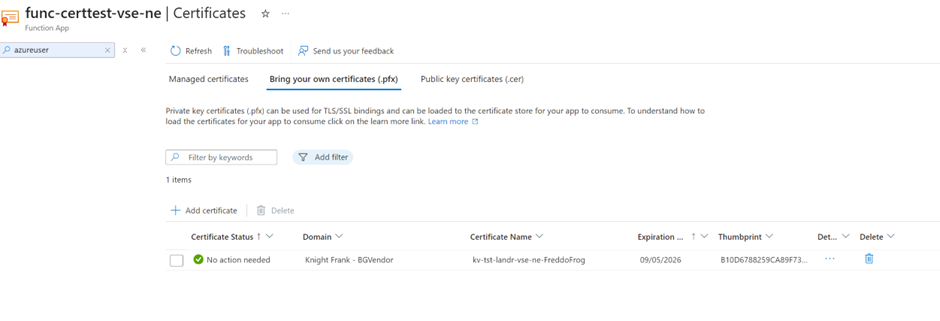
In your Azure Function under Certificate, select ‘Bring your own Certificate’ and Add
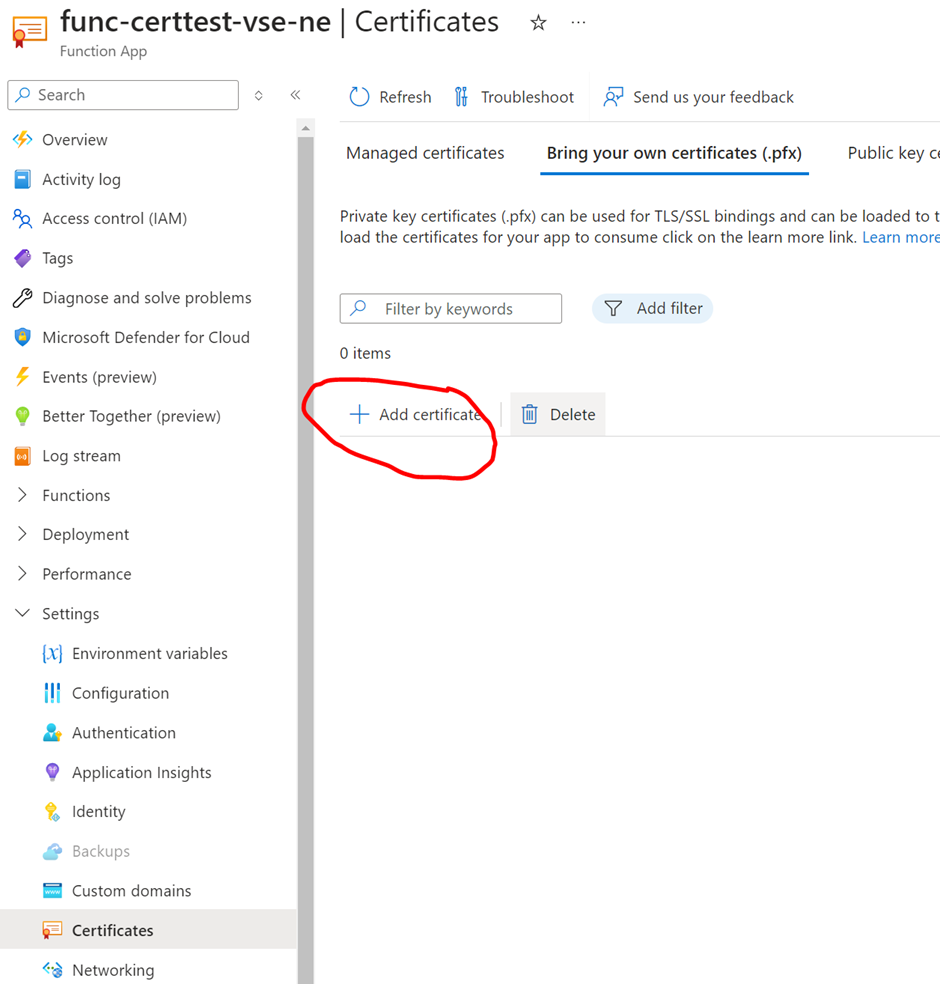
This will bring up a panel on the right-hand side, Choose Key Vault as your certificate source, and then choose the relevant Key Vault and certificate.

The certificate will be listed when it has been added.
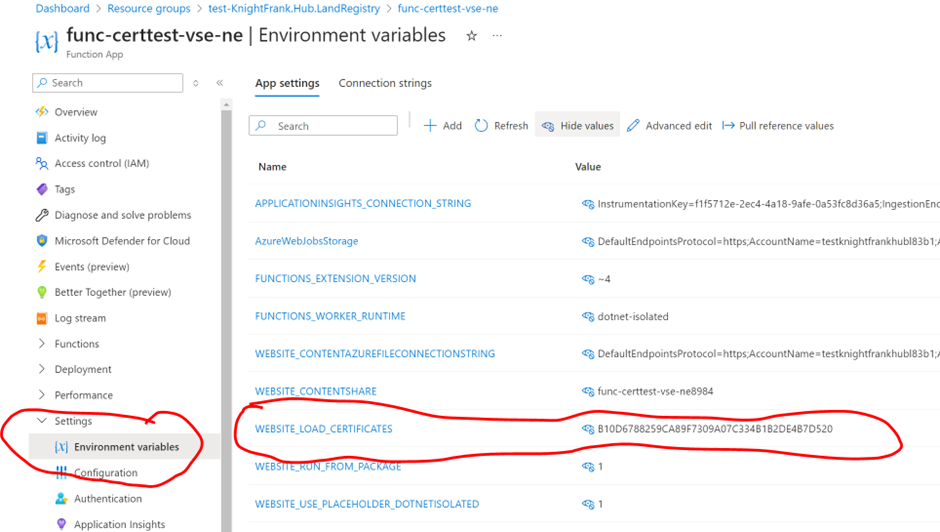
Add WEBSITE_LOAD_CERTIFICATES to environment variables. The value can either a comma separated list of certificate thumbprints or ‘*’ to import all certificates. What this does is load the certificates in to the ‘My, Current User’ certificate store of the function. N.B You will not be able to load certificates from within your function code.
To Check its loaded, create a simple azure function
[Function("Function1")]
        public async Task<HttpResponseData> Run([HttpTrigger(AuthorizationLevel.Anonymous, "get", Route = null)] HttpRequestData req)
        {
            _logger.LogInformation("C# HTTP trigger function processed a request.");
            var response = req.CreateResponse();

            bool isRunningInIisExpress = Process.GetCurrentProcess()
                                .ProcessName.ToLower().Contains("iisexpress");
            _logger.LogInformation($"ProcessName {Process.GetCurrentProcess().ProcessName.ToLower()}");

            var store = new X509Store(StoreName.My, StoreLocation.CurrentUser);
            store.Open(OpenFlags.ReadOnly | OpenFlags.OpenExistingOnly);
            var certificateCollection = store.Certificates;
            store.Close();
            foreach (var certificate in certificateCollection)
            {
                _logger.LogInformation($"Thumbprint : {certificate.Thumbprint}");
            }

            response.StatusCode = HttpStatusCode.OK;
            await response.WriteStringAsync("whooo");
            return response;
        }
